The goal is a complete list and a decision for every line. Cancelling is one possible outcome; so is keeping everything and knowing why.
Gather three sources first
- Apple’s Subscriptions screen. In Settings, tap your name, then Subscriptions. It lists everything Apple bills, active and expired.
- 13 months of card and bank statements. Any 12-month window contains every yearly charge; the extra month gives a margin when a renewal falls on the edge.
- Your email. Search for “receipt”, “renewal”, “invoice”, “trial” and “your subscription”. A receipt usually names the plan when the statement line shows only a company code.
Checklist
0 of 9 done
Run it in four blocks
| Time | Block | Done when |
|---|---|---|
| 0–10 min | Gather | All three sources are open |
| 10–25 min | List | Every recurring item has a price, cycle and next date |
| 25–40 min | Decide | Every item is marked keep, pause, downgrade, cancel or research |
| 40–45 min | Follow through | Reminders are set and the next audit is on Calendar |
The timings suit a first audit of 10 to 20 items. Next time the list already exists, so the first two blocks shrink to a few minutes.
Category checks
Each kind of subscription has its own question worth asking, and its own usual overlap.
| Category | Ask | Overlap to look for |
|---|---|---|
| Video streaming | Did anyone watch it last month? | Services bundled with broadband, phone or another membership |
| Music | Who uses it, on which account? | Two individual plans where one family plan would do |
| Cloud storage | How much of the plan is used? | A personal plan beside storage from work, school or a bundle |
| Software and apps | Is it for work or personal use? | A personal licence for a tool your employer already pays for |
| Fitness | How many visits or sessions last month? | Gym, app and class pack all serving the same goal |
| News and magazines | Read this month? | Several outlets covering the same ground |
| Insurance and memberships | When does it renew, and is there a notice period? | Cover already included with a card, bank or employer |
Questions that lead to better decisions
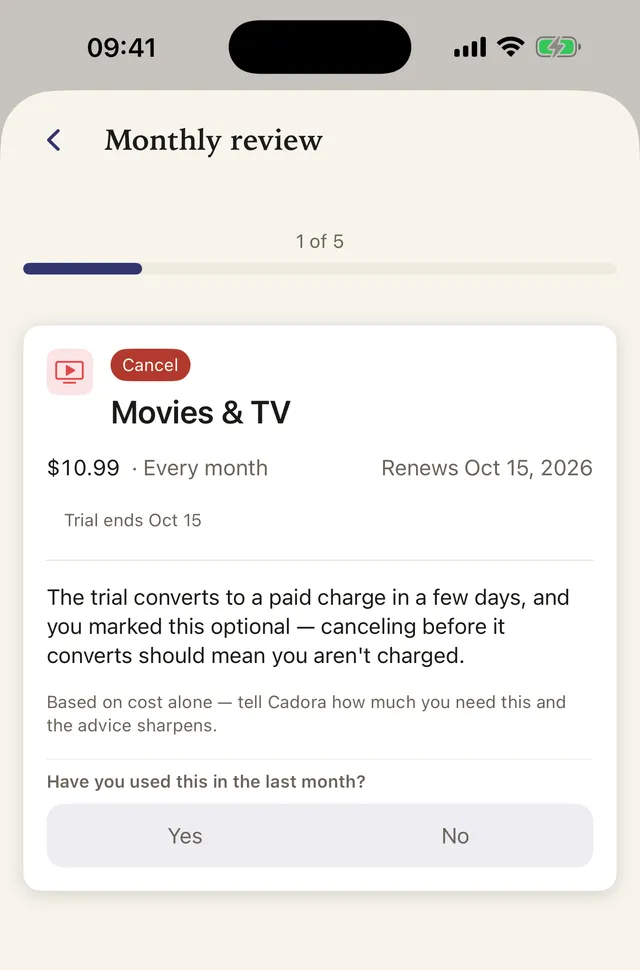
Ask: Have I used it in the last 30 days? Does a bundle duplicate another service? Does a cheaper tier meet the need? Is this seasonal? Is someone else in the household already paying? What would I lose if I paused it for one month?
Annual plans deserve special attention. They feel infrequent, so they disappear from a monthly statement review. Put them on Calendar early enough to compare alternatives before a renewal.
- Check priceFri 16 Oct
- DecideSun 1 Nov
- ActSun 8 Nov
- RenewalSun 15 Nov
A worked example
One household’s first audit found 12 items. Eight were used every week and stayed. The other four needed a decision. Example values:
| Item | Per year | Decision | Why |
|---|---|---|---|
| Second music plan | $131.88 | Cancel | The family plan already covers both people |
| Cloud storage, 2 TB | $119.88 | Downgrade to 200 GB ($35.88) | Only 140 GB in use |
| Video streaming B | $143.88 | Pause | Nothing to watch until spring |
| Fitness app | $79.99 | Research | The gym may already include classes |
The cancellation and the downgrade lower the yearly total by $215.88. The pause depends on how many months the service rests, and the research item gets decided once the gym answers. Each of those last two needs a reminder, or it quietly renews.
Write down the reason
Next to each decision, write one line of why and a date to look again: “Paused, nothing to watch until March. Check 1 March.” Months later, that line turns the next audit into a quick confirmation instead of a fresh investigation.
Mistakes to avoid
- Deleting the app instead of cancelling. Removing an app leaves the billing agreement in place.
- Cancelling the copy that holds the data. When two plans overlap, keep the account with the files, history or family members on it.
- Auditing only monthly charges. Yearly plans are often the largest single charges on a list, and the easiest to forget.
- Skipping the follow-through. A decision without a reminder tends to become next year’s renewal.
Turn the audit into a habit
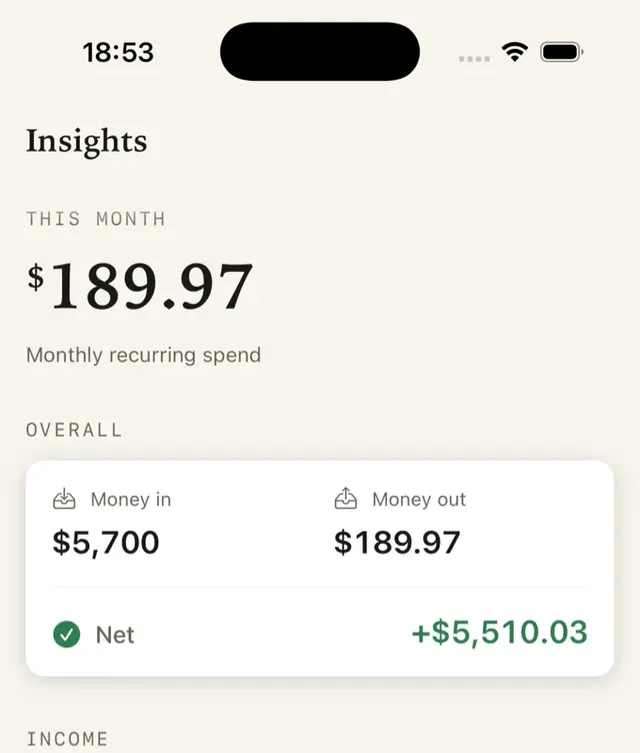
Keep one list year-round rather than rebuilding it every quarter. Cadora tracks active, paused, and cancelled items, shows upcoming renewals, and calculates recurring totals from the prices and schedules you enter.
FAQ
How long does a subscription audit take?
Plan on about 45 minutes for a first audit of 10 to 20 items. After that, a monthly look at the next month’s renewals takes a few minutes, and a full pass once or twice a year keeps the list honest.
Should I cancel everything I have not used in 30 days?
Not automatically. Annual plans, seasonal services and plans someone else in the household uses can look idle in a 30-day window. Use the 30-day question to find candidates, then decide item by item.
Do I need an app for a subscription audit?
No. A spreadsheet or a note works for the audit itself. An app helps afterwards: it keeps the list, totals it and reminds you before the next renewal. Cadora does that without a bank login.
Download Cadora on the App Store
Khai Do is an independent iOS developer in Vietnam who builds and supports Cadora under Aquifer.