Cadora is one way to keep that list: it is private, totals what you enter, and can add renewals to Apple Calendar. The method below works with any tracker, or with a note on your phone.
Know the three places a subscription can bill
Most confusion about iPhone subscriptions comes from billing. The app on your Home Screen says nothing about who takes the money, and the same streaming service can bill through Apple for one person and through its own website for another.
| Billed by | Where you see it | Where you cancel |
|---|---|---|
| Apple, when you subscribed inside an app or the App Store | Settings, tap your name, then Subscriptions | The same screen (Apple’s current steps) |
| The provider, when you signed up on its website | The provider’s account page and your card statement | The provider’s account page |
| Another company: a phone carrier, broadband bundle, PayPal or an employer | That company’s bill or automatic-payments list | The company that bills you |
Apple’s screen also lists subscriptions that have expired. Anything on that list you still use may now be billing somewhere else, or through a family member’s account.
Start with what you can name
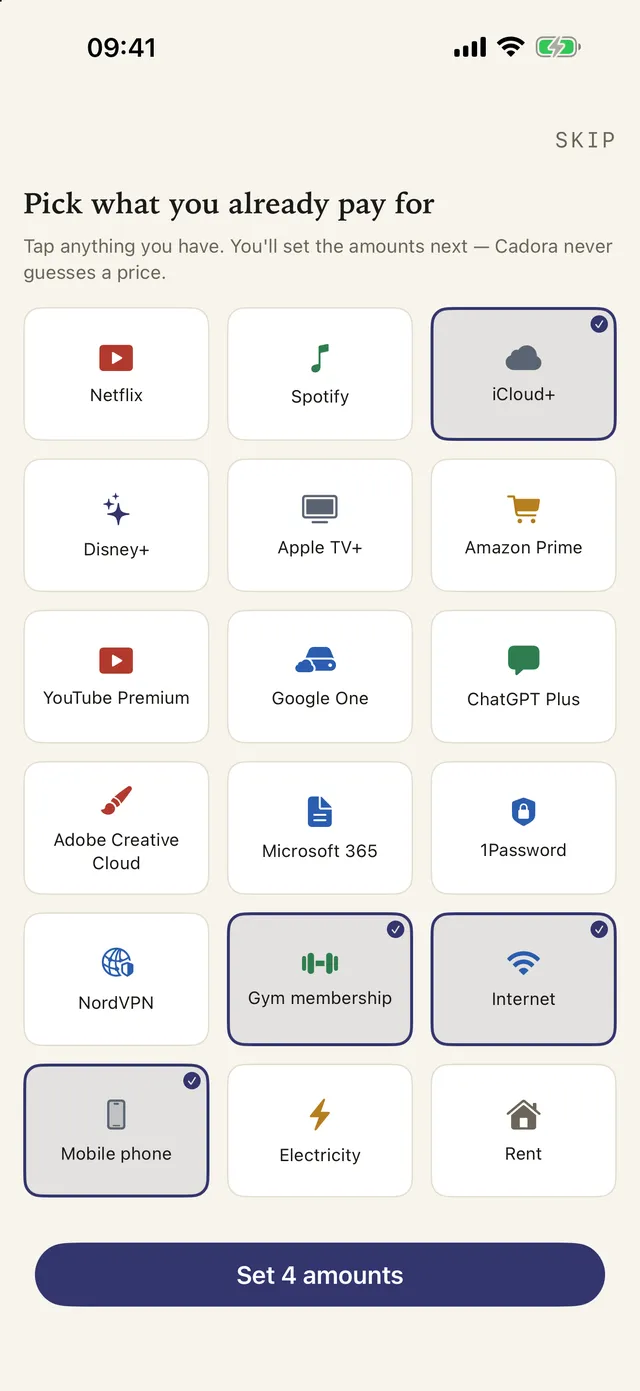
Open Apple’s Subscriptions screen, your email receipts, and the last few card or bank statements. Write down every recurring service you recognize. Include more than streaming: cloud storage, phone plans, utilities, gym memberships, software, news, games, insurance instalments, and free trials all belong in the same review.
For each item, record:
- service name and category;
- price and currency;
- billing cadence: weekly, monthly, yearly, or custom;
- next renewal date;
- where it bills: Apple, the provider, or another company; and
- whether it is active, paused, or cancelled.
Do not guess. A tracker can total only the information you enter, so check the provider’s receipt or account page when price or renewal date is unclear.
Find the ones that hide
Three kinds of cost slip past a first pass.
- Annual renewals. They appear once a year, so a three-month look at your statements misses them. Check 13 months of statements, or search your email for “renewal”, “receipt” and “your subscription”.
- Free trials. A trial has not charged anything yet, so it is invisible on a statement until it converts. Add it on the day you start it, with the price it will become.
- Costs on someone else’s account. A subscription another family member started sits on their Apple Account and shows in their Subscriptions screen, even with Family Sharing on. Ask, or check together.
Add a reminder before every decision date
Choose lead time that leaves room to decide. Seven days works for most monthly subscriptions; 14–30 days is better for yearly plans or anything requiring notice. For a free trial, set a reminder several days before its conversion date, not on the day it ends.
Timing matters more than it looks. Apple-billed subscriptions renew automatically unless you cancel at least 24 hours before the current period ends, so a reminder on the renewal day itself can arrive too late.
- DecideSun 8 Nov
- Last callThu 12 Nov
- RenewalSun 15 Nov
Cadora schedules local reminders when notifications are enabled and can add its renewal events to Apple Calendar. Calendar permission is optional; Cadora reads back only events it created. On the free plan each item has one reminder; Premium allows several, such as 30 days and 7 days before a yearly renewal.
Keep the list where you will see it
A list you have to remember to open drifts out of date. Put the next few dates in places you already look:
- Calendar. Cadora can write renewal events to Apple Calendar, so a yearly renewal sits beside your appointments.
- Home Screen. Cadora’s widgets show the monthly total and the next renewals.
- Siri. The “Add Subscription” shortcut logs a new trial the moment you start it, before you forget the date.
A worked example
Here is a first-pass list for one person. It is a typical mix: some Apple billing, some direct, one annual plan and one trial. The prices are example values.
| Item | Bills through | Price | Per year |
|---|---|---|---|
| Music | Apple | $10.99 a month | $131.88 |
| Cloud storage | Apple | $2.99 a month | $35.88 |
| Video streaming | Provider | $15.49 a month | $185.88 |
| Password manager | Provider | $35.88 a year | $35.88 |
| Gym | Direct debit | $29 a month | $348.00 |
| Language app, in a trial | Apple | $59.99 a year after the trial | $59.99 |
| Total | $797.51 |
Two things stand out once it is written down. The gym is over 40 percent of the yearly total. And the trial is already counted at its full price, which is the honest way to count it: if you do nothing, that is what it will cost.
Review monthly, evaluate yearly
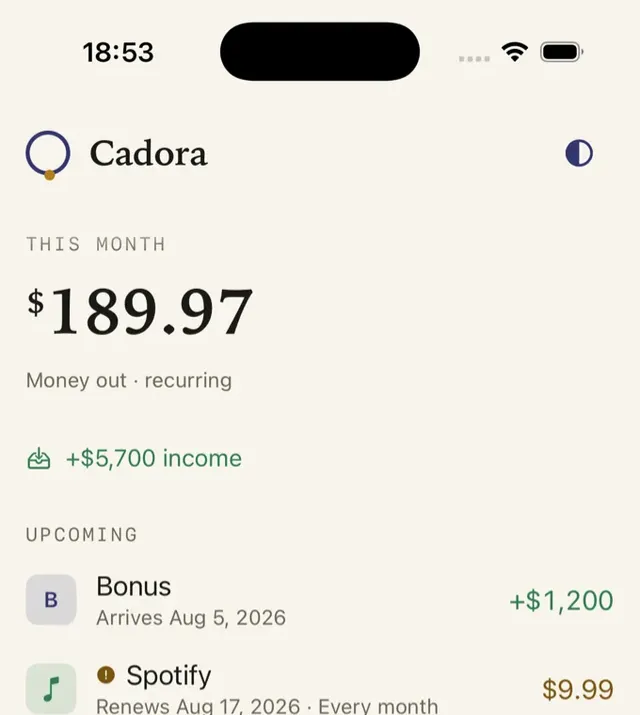
Once a month, sort your list by next renewal and category. Ask four questions: Did I use this? Is a lower tier enough? Could I pause it? Would I sign up again today? Then multiply monthly prices by 12 before deciding. $9.99 per month is $119.88 per year.
Mistakes that make a list useless
- Tracking only Apple’s list. It is accurate, but it covers one billing path.
- Entering a trial at $0. Enter the price after the trial and the date it converts.
- Deleting cancelled items. Mark them cancelled instead. The record of what you stopped is what you need if a charge appears after you cancel.
- Counting a shared plan twice. If two people track the same family plan, agree on who owns the entry.
Keep tracking private
Manual tracking means the list starts with your choices, not a bank login. Cadora does not require a Cadora account, connect to a bank, or scan email. Records are stored on your device and may sync through your private iCloud database.
FAQ
Can iPhone show all subscriptions in one place?
Apple shows subscriptions billed through Apple, but recurring costs from other providers can be separate. A manual tracker gives you one list for subscriptions, bills, memberships, and trials.
Can Cadora read my Apple subscriptions automatically?
No. Cadora does not read Apple’s subscription list, your bank or your email. You add each item yourself. The quick-start catalog fills in names, icons and useful links for 75 common services, and you type the price.
Does Cadora work on iPad too?
Yes. Cadora runs on iPhone and iPad, and your records can sync between them through your private iCloud when both devices use the same Apple Account.
Is Cadora free?
Cadora is free to download and tracks up to 10 active items. Premium adds unlimited items, multiple reminders, advanced insights and forecast, CSV and PDF export, and removes ads.
Download Cadora on the App Store
Khai Do is an independent iOS developer in Vietnam who builds and supports Cadora under Aquifer.