A useful recurring-bill workflow has four parts: the list, two layers of reminder, a fixed review day, and a clear line between being reminded and having paid.
Build the list once
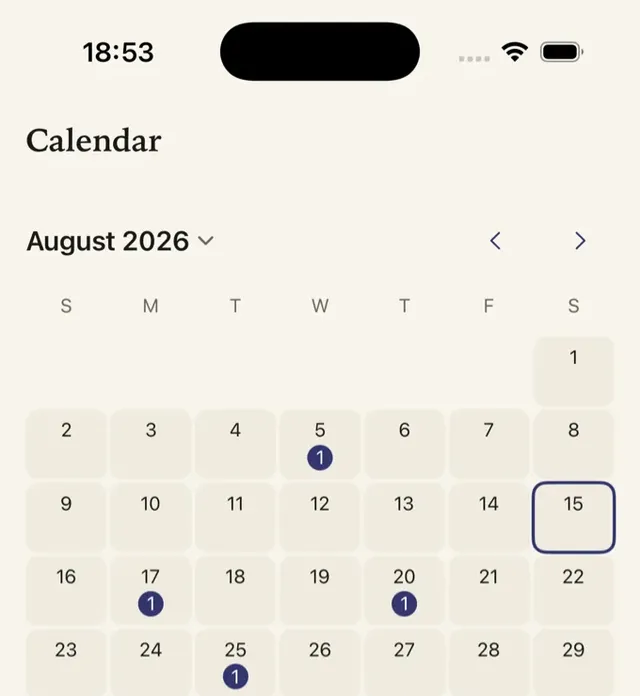
Record rent, utilities, phone, internet, insurance, memberships, instalments, app subscriptions, and free trials. For each, save amount, cadence, due date, category, and whether payment is automatic. Add a note for variable bills so you remember to check the provider’s current amount.
| Record | Why | Example |
|---|---|---|
| Amount | The number your budget plans for | $64.20, last electricity bill |
| Cadence | Turns into a yearly cost | Monthly |
| Next due date | Sets the reminder | 28 November |
| How it is paid | Tells you whether to act or only check | Autopay from the current account |
| Fixed or variable | A variable bill needs a look before it is due | Variable |
| Note | What you need when it is time to pay | Customer reference, where to pay |
Autopay and manual bills need different reminders
For a bill on autopay, the reminder is a cue to check that the amount is right and the account it comes from has the money. For a bill you pay by hand, the reminder is the cue to pay, so it needs enough lead time for the payment to arrive. For a subscription that renews itself, the reminder is the moment to decide whether to keep it.
Add two layers of reminder
Set a planning reminder before due date and a close reminder if you need it. For automatic renewals, the first reminder is for deciding whether to keep the service. For manual bills, it is a cue to check amount and payment method. Put annual dates on Calendar much earlier than monthly dates.
- DecideSun 25 Oct
- Last callThu 29 Oct
- RenewalSun 1 Nov
Starting lead times
| Bill | First reminder | Second reminder |
|---|---|---|
| Rent or mortgage | 5 days before | 1 day before |
| Utilities and phone | 5 days before | 2 days before |
| Monthly subscriptions | 7 days before | 3 days before |
| Yearly insurance and memberships | 30 days before | 7 days before |
| Free trials | 3 days before it converts | 1 day before |
These are starting points. Lengthen any lead time your bank or the provider needs for a payment to clear. Apple-billed subscriptions renew unless cancelled at least 24 hours before the period ends, which is why the last trial reminder sits a day early. On Cadora’s free plan each item has one reminder; Premium allows several per item.
Variable bills
Electricity, water and usage-based phone bills change every month. Record a typical amount so your totals stay realistic, and use the first reminder to check the actual bill before it is due. When a bill moves a lot, update the amount so next month’s total reflects it.
Review on a fixed day
Pick one day each month to compare upcoming bills with your budget and calendar. Update any price change, cancellation, pause, or new trial immediately. Cadora can show upcoming tracked items, schedule local notifications with permission, and add renewal events to Apple Calendar.
- Look at the next 30 days of due dates.
- Update any amount that changed.
- Mark anything cancelled, paused or new.
- Check that each reminder still leaves enough time.
Keep the distinction clear
A tracker records what you enter. It cannot see a bank transaction, pay a bill, or confirm a provider cancellation. That boundary makes a manual workflow private and easy to correct when a plan changes.
FAQ
Can Cadora pay my bills?
No. Cadora records bills and reminds you before they are due. It does not connect to your bank or card, so payments stay with your bank or the provider.
What happens if notifications are turned off?
Cadora’s reminders are local notifications, so they need notification permission. Renewals you have added to Apple Calendar stay on your calendar either way.
Should bills and subscriptions go in the same list?
Yes, if you want one monthly total. Mark which items are bills and which are subscriptions, because the decision differs: a subscription can be cancelled before it renews, while a bill usually has to be paid.
Download Cadora on the App Store
Khai Do is an independent iOS developer in Vietnam who builds and supports Cadora under Aquifer.